
Download dbForge Studio for Oracle – Oracle database, PL/SQL development, SQL tool, database management, data synchronization, schema change automation
Overview
dbForge Studio for Oracle is a comprehensive integrated development environment (IDE) tailored specifically for Oracle SQL developers. Designed to enhance the efficiency and accuracy of database development, the tool supports a wide range of tasks including PL/SQL coding, data editing, and cross-server data synchronization. It is particularly suited for professional developers and database administrators who manage complex Oracle environments and require robust tools to streamline workflows. The application aims to reduce manual effort in schema management, data comparison, and code development, thereby minimizing errors and accelerating project timelines.
Target users include enterprise-level developers, database architects, and DevOps teams working with Oracle databases across multiple environments. The tool’s ability to automate schema changes and synchronize data across servers makes it valuable in development, testing, and production workflows. Its visual interface, modeled after Microsoft Visual Studio, ensures a familiar and intuitive experience for developers accustomed to similar IDEs. This design choice enhances user adoption and reduces the learning curve, especially in team-based environments where consistency is critical.
Although the developer did not provide additional technical details, the application’s focus on productivity and automation suggests a strong emphasis on developer-centric features. In the broader context of database management tools, dbForge Studio for Oracle fills a niche by offering specialized functionality for Oracle-specific workflows. Its release on July 30, 2025, marks a significant update for developers seeking a reliable, feature-rich solution for managing Oracle databases with greater precision and speed.
Key Features & Functionality
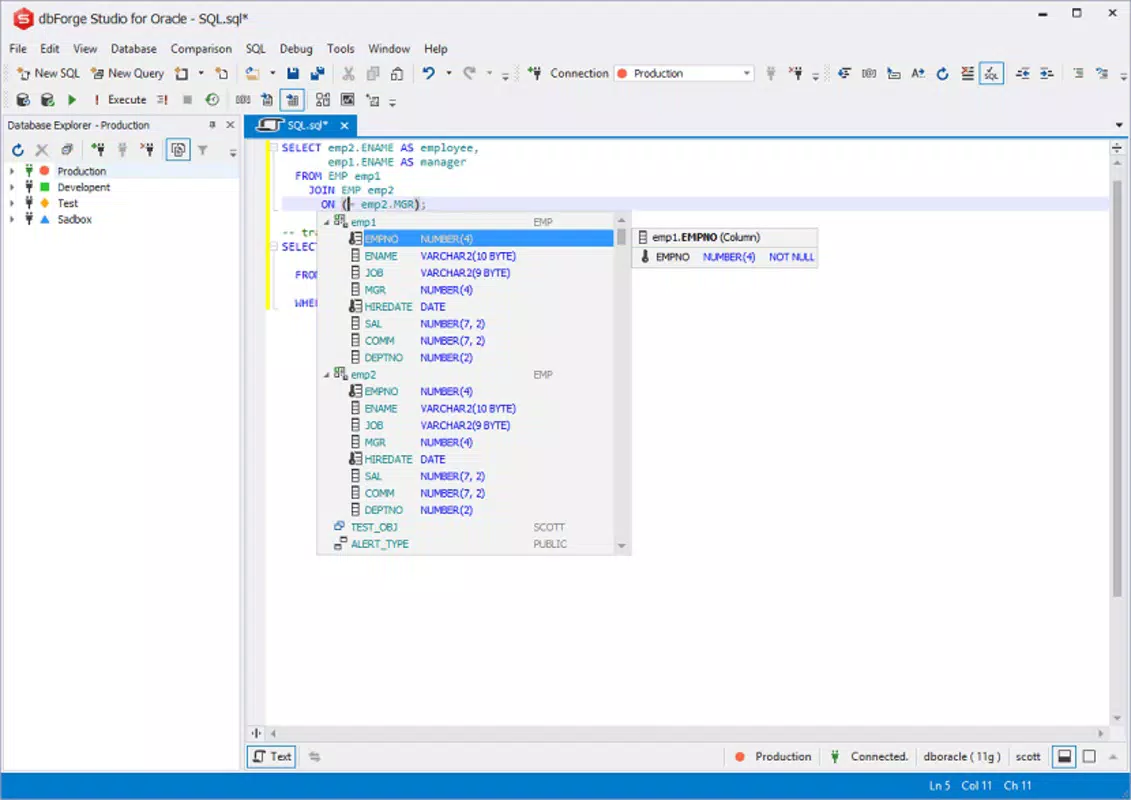
- Efficient PL/SQL Coding: The tool supports intelligent code completion, syntax highlighting, and automatic code formatting, enabling developers to write clean, error-free PL/SQL scripts faster. These features reduce the time spent on manual coding and help maintain consistent code standards across teams.
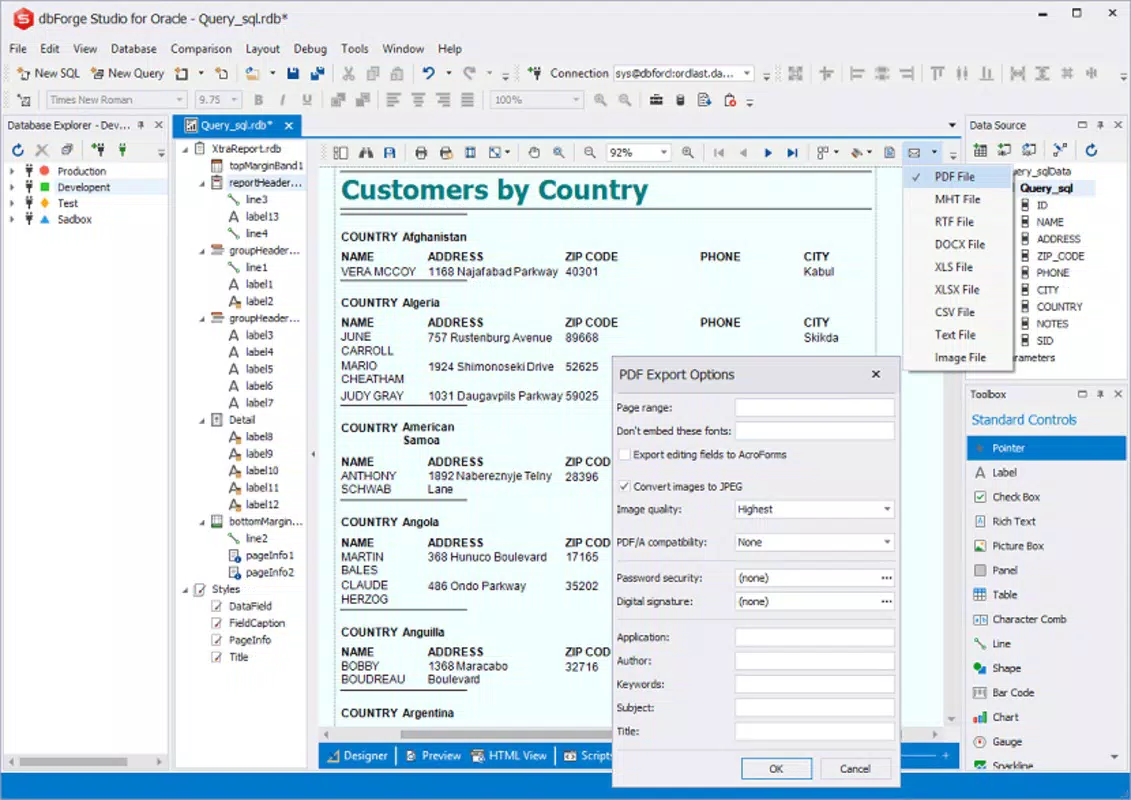
- Advanced Data Editing: Users can edit data directly within the database or import/export data from external sources such as CSV, Excel, and JSON files. The built-in data grid provides real-time editing capabilities, allowing for quick modifications and validation of large datasets.
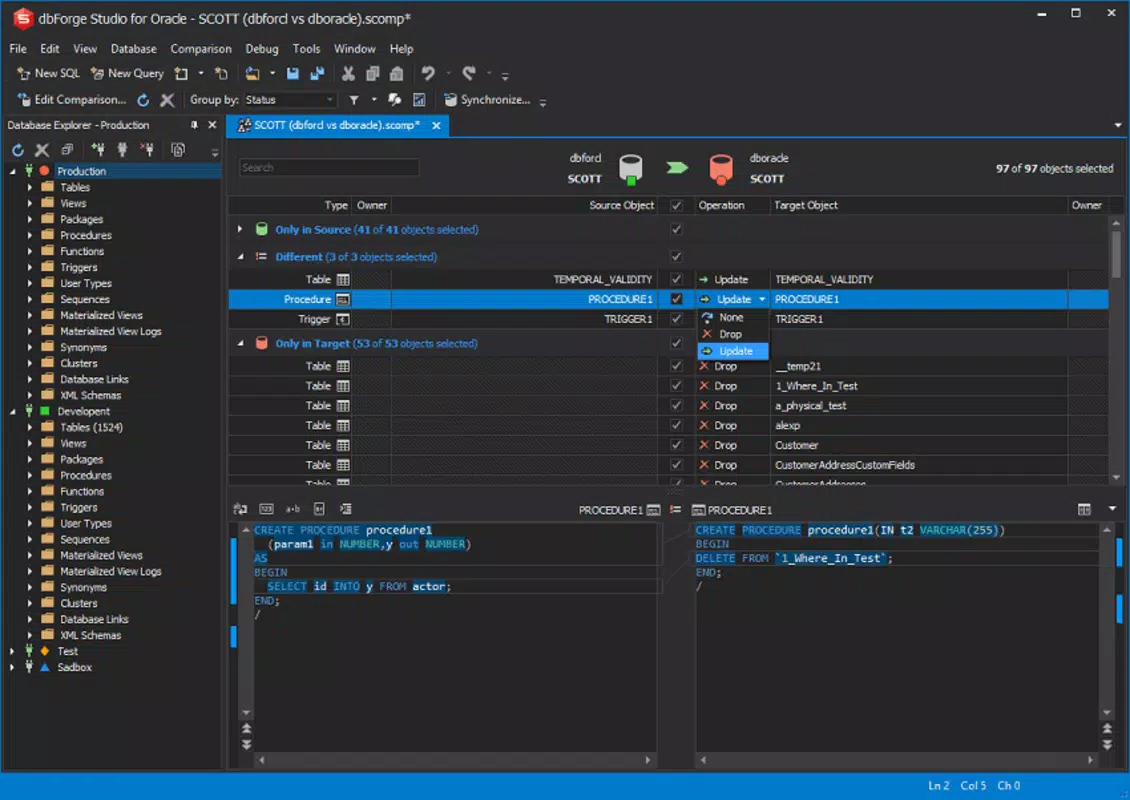
- Data Synchronization Across Servers: dbForge Studio enables seamless synchronization between multiple Oracle databases, ensuring consistency during development and deployment. This is especially useful when replicating test environments or deploying changes across staging and production systems.
- Automated Schema Change Management: The tool automates the generation and execution of schema change scripts, reducing the risk of human error during updates. It supports version control integration, making it easier to track and manage database schema evolution.
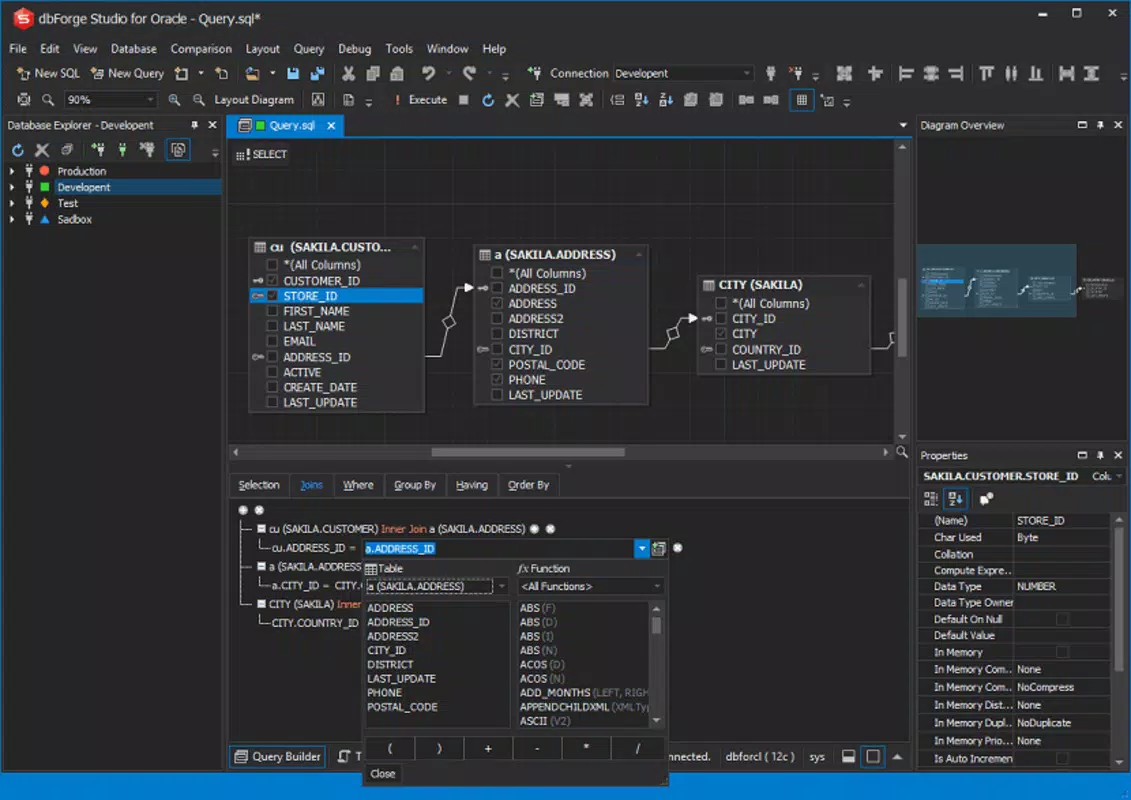
- Intuitive Graphical Interface: With a layout inspired by Microsoft Visual Studio, the IDE offers a clean, organized workspace with customizable panels, toolbars, and navigation. This consistency enhances user comfort and allows developers to focus on tasks rather than tool navigation.
For example, a developer working on a large-scale application can use the code completion and formatting features to draft complex stored procedures quickly. Another team member can then use the data synchronization feature to align test data with production, ensuring accurate testing outcomes. The automated schema change functionality ensures that database updates are applied consistently and safely across environments.
Interface, UX & Performance
dbForge Studio for Oracle features a modern, clean interface with a layout that mirrors the widely used Microsoft Visual Studio environment. This design choice enhances usability for developers already familiar with similar IDEs, allowing for a smooth onboarding process. The application organizes tools and panels in a logical manner, with tabs for query editors, object browsers, data grids, and script execution logs, enabling efficient multitasking.
Navigating through database objects, writing queries, and managing schema changes is streamlined through intuitive menus, context-sensitive right-click options, and keyboard shortcuts. The visual feedback during code execution and data operations is responsive, contributing to a fluid user experience. Although the developer did not list formal performance metrics, the application’s 120 MB file size suggests a lightweight footprint, which may contribute to faster startup times and lower resource consumption.
Performance on different device categories was not specified. However, the tool’s focus on database operations implies optimized handling of large datasets and complex queries. Stability during long sessions and responsiveness during data-intensive tasks appear to be prioritized, given the tool’s intended use in professional development environments. Users can expect consistent behavior during extended coding and debugging sessions, though real-world performance may vary based on system configuration and database load.
Platform Compatibility & Technical Requirements
dbForge Studio for Oracle is available exclusively for the Windows platform. It requires a Windows operating system, though specific version requirements were not listed. The application has a file size of 120 MB, which indicates a compact installation package suitable for systems with moderate storage capacity.
The developer did not specify minimum OS requirements, hardware specifications, or compatibility with different Windows versions. As such, users should verify system compatibility based on their environment. The absence of detailed technical information means that installation and operation on older or non-standard Windows configurations may require testing. For users relying on macOS or Linux, alternative tools may be necessary, as cross-platform support was not disclosed.
Pros and Cons
Pros
- Intuitive interface inspired by Microsoft Visual Studio
- Robust PL/SQL coding assistance with code completion and formatting
- Efficient data editing and import/export capabilities
- Automated schema change management reduces manual errors
- Supports data synchronization across Oracle servers
- Compact file size (120 MB) for a feature-rich tool
Cons
- Platform limited to Windows only
- Specific system requirements not disclosed
- Price point of $149.00 may be high for individual developers
- Compatibility with older Windows versions not confirmed
- Limited information on performance under heavy database loads
FAQ
Is dbForge Studio for Oracle available for macOS or Linux?
The developer did not disclose cross-platform availability. The application is currently confirmed for Windows only.
Can I use dbForge Studio for Oracle with remote Oracle databases?
Yes, the tool supports connections to remote Oracle servers, enabling developers to manage databases hosted on external systems.
Does the tool support version control integration?
Yes, automated schema change management includes support for version control systems, allowing developers to track and manage database schema evolution.
Is the application secure for enterprise use?
While specific security details were not provided, the tool is designed for professional environments and includes features that support secure database management practices.
How often are updates released for dbForge Studio for Oracle?
Regular updates are expected, though the release frequency was not specified. Users are encouraged to check the official website for the latest version and patches.
Final Thoughts
dbForge Studio for Oracle stands out as a powerful, developer-focused tool for managing Oracle databases with precision and efficiency. Its combination of intelligent coding features, data synchronization, and automated schema management makes it a valuable asset for teams handling complex database projects. The intuitive interface, modeled after a trusted IDE, ensures a smooth experience for both new and experienced users.
While the price of $149.00 may be a consideration for independent developers, the tool’s capabilities justify the investment for professional teams seeking to enhance productivity and maintain data integrity. Its exclusive availability on Windows limits cross-platform flexibility, but for users in Windows-centric environments, it offers a compelling solution.
Download dbForge Studio for Oracle now


